Distance learning assessment: how to plan and administer online tests safely
Learn how to organize an EAD assessment, define rules, prepare participants and use proportional controls for a safe application.
The EAD assessment is part of the learning process and should not be treated just like the digital version of a printed test. In a remote environment, planning needs to consider pedagogical objectives, question format, application period, technical conditions of participants and criteria for interpreting the results.
A safe experience also depends on proportionality. Training activities, final exams and selection processes have different risks and, therefore, do not need to receive exactly the same controls. The appropriate combination of clear rules, technology, support and subsequent analysis reduces problems without creating unnecessary barriers.
Start with the objective of the EAD assessment
Before choosing a tool, describe what the assessment should reveal. It can identify prior knowledge, monitor progress during a subject, verify mastery of skills or support an approval decision. This objective guides the number of questions, the level of difficulty and the form of feedback.
It is also important to relate each block of the test to the content and skills covered. A simple matrix prevents peripheral issues from being given excessive weight and helps to verify whether the available time is compatible with the expected effort. Technology speeds up application, but the validity of the assessment continues to depend on this pedagogical alignment.
Choose coherent question formats
Objective questions favor automatic correction and are useful when there are many participants. Essay questions allow you to observe argumentation, synthesis capacity and reasoning path. A mixed assessment can bring together both benefits, as long as the correction criteria are defined before application.
Review statements, alternatives, images and templates. Ambiguous questions create insecurity and compromise the reading of the results. When reusing items from a question bank, check that the context remains current and that the difficulty still matches the audience. The quality of the question is more relevant than the volume of items.
Configure period, duration and attempts
The access window must consider the class calendar and any differences in routine, while the duration must reflect the real complexity of the activity. Very short limits may measure speed or connection quality, not learning. Excessive periods can make the organization and integrity of the application difficult.
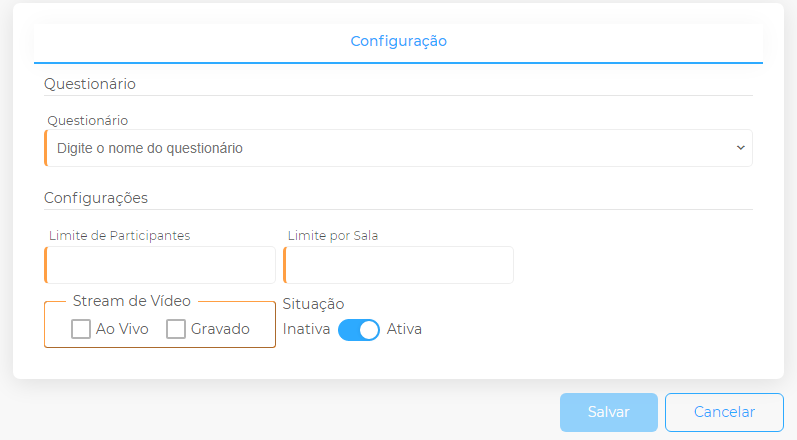
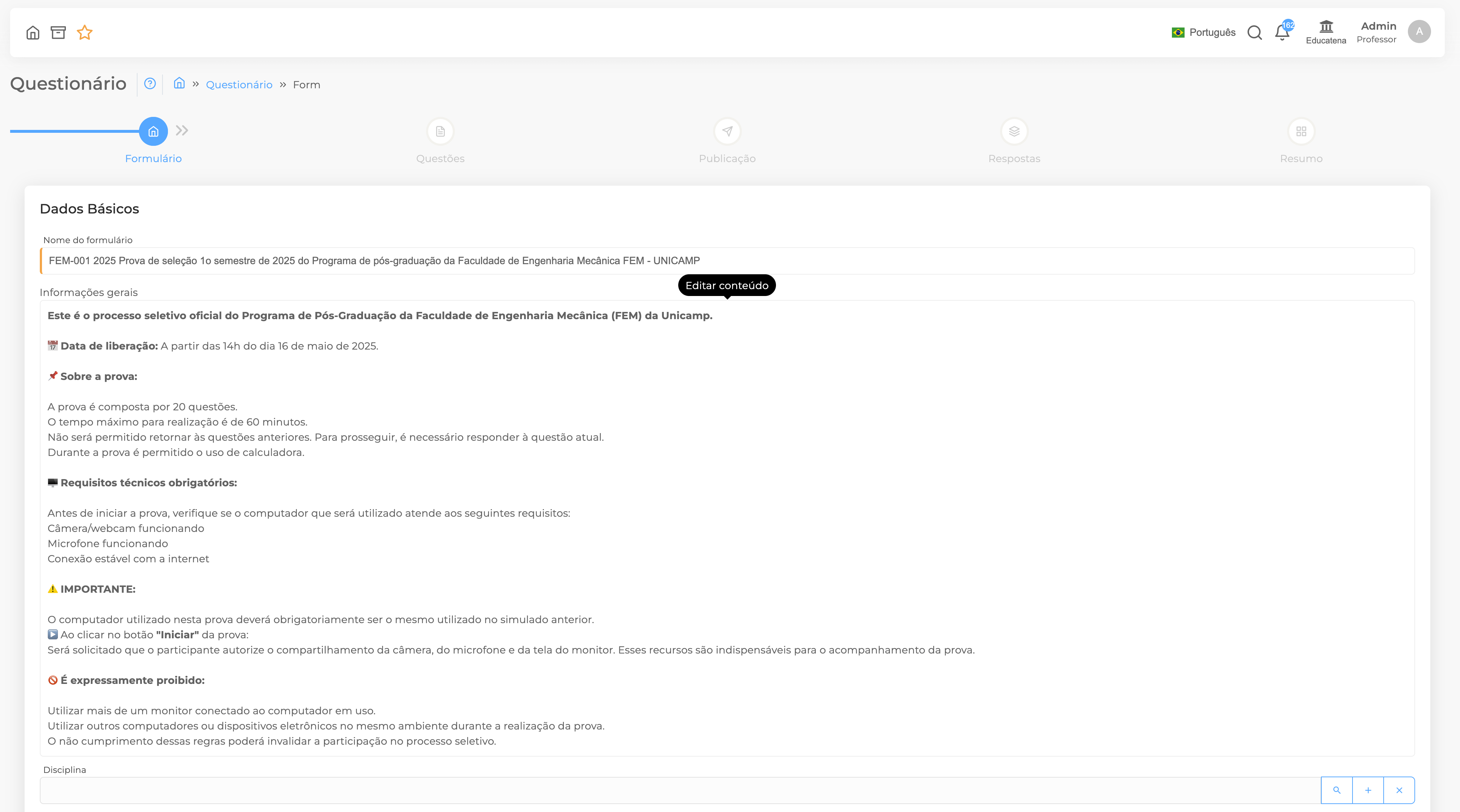
At Educatena, the institution can configure the period, test time, entry limit, number of attempts, order of questions, weights, cutoff score, answer key and feedback. These parameters must be documented and communicated in advance so that everyone knows the conditions of the evaluation.
- Set an audience-friendly access window.
- Do a realistic test to estimate the duration.
- Provide rules for delays, interruptions and retries.
- Use shuffling only when the questions are equivalent.
- Determine when grade, answer key and feedback will be displayed.
Prepare participants and support staff
Provide a short guide with access address, recommended browser, necessary equipment and service channel. In important assessments, a demo activity allows you to test login, camera, microphone, and screen sharing before the official moment.
The responsible team also needs to know how to act in the event of a connection drop, equipment failure or doubts about the rules. A previously agreed procedure makes decisions more consistent and prevents similar situations from receiving different treatments.
Adopt proportionate security controls
Features such as input limit, screen lock, selfie tag, webcam, and screen sharing can support higher-impact applications. Supervision can take place live or via subsequent audit, depending on the context and structure of the institution.
Participants must be informed about the resources used and how incidents will be analyzed. Automatic alerts and session logs support review; they are no substitute for human analysis of context. Transparency and consistent criteria are essential parts of a trustworthy application.
Use the results to improve teaching
After the test, observe results by participant, class, question and content. A high error rate may indicate a topic that needs to be revisited, but it may also reveal a confusing question or an inappropriate configuration. Analysis must combine data and context knowledge.
Record technical problems, recurring questions and necessary adjustments. This history improves future applications and transforms evaluation into part of a cycle: plan, apply, analyze, offer feedback and improve. Thus, the online test stops being just a grading instrument and starts to guide pedagogical decisions.
Make a final check before publishing
Book one last review to go through the assessment as a participant. Confirm texts, templates, weights, media, dates and messages presented at the end. Also check that the instructions you send exactly match the platform settings.
This conference must have a defined person in charge and take place before the access window opens. Last-minute changes increase the risk of inconsistencies; when they are unavoidable, record what has changed and communicate to all participants through the same official channels.
Conclusion
A safe distance learning assessment arises from clear objectives, well-constructed questions, proportionate configurations and early communication. Educatena brings together creation, application, correction, supervision and analysis in the same flow, allowing each institution to choose the controls appropriate to the importance of the activity.